
Dealership Window Labels & Buyers Guides
Create and print professional vehicle window labels, equipment labels, and Buyers Guides directly from your dealership inventory data.
DealerVision pulls vehicle information from your inventory management system or VIN decode, helping your team produce accurate, consistent materials without re-entering information by hand.

Everything You Need on the Window
Equipment & Window Labels
Give shoppers the vehicle information they need while keeping your inventory presentation consistent with your dealership.
Create equipment labels using a DealerVision-designed template or your own custom design, with vehicle data populated directly from your inventory system or VIN decode.
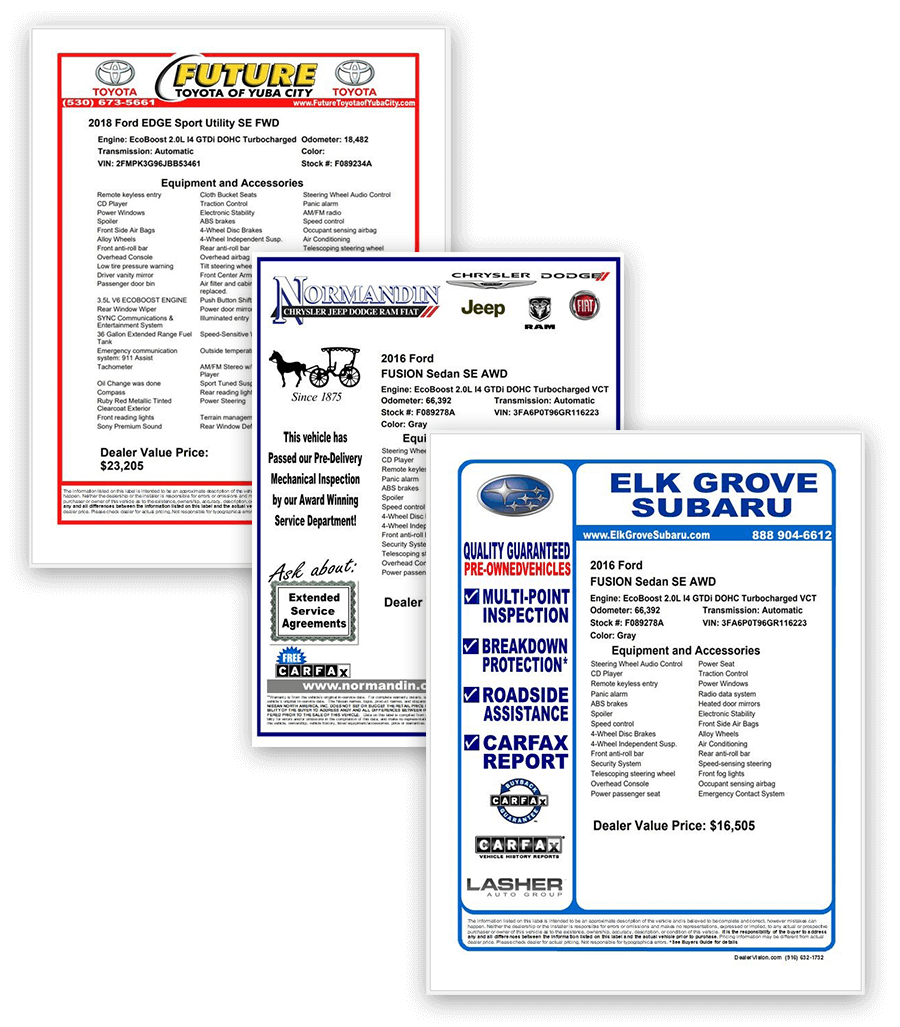
✅ Custom or DealerVision-designed layouts
✅ Vehicle-specific inventory and equipment data
✅ Multiple available formats
✅ Consistent dealership branding
Buyers Guides
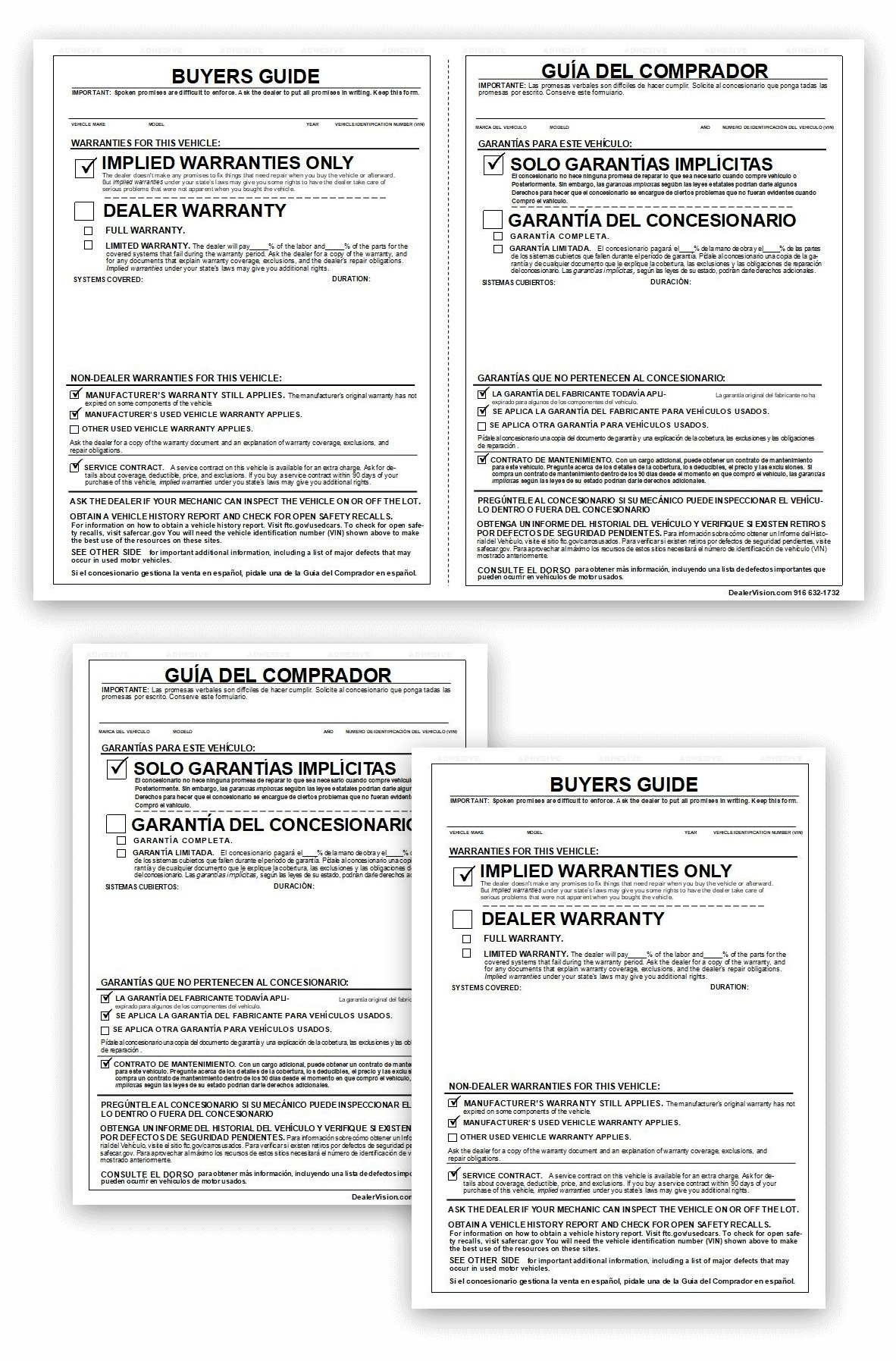
Create and print Buyers Guides as part of the same inventory merchandising workflow.
Choose from standard-size formats or a side-by-side English and Spanish Buyers Guide to make producing the documents your dealership needs quick and straightforward.
✅ Standard Buyers Guide formats
✅ Side-by-side English and Spanish options
✅ Vehicle data pulled from your existing inventory
✅ Print when the vehicle is ready
Note: Side-by-side English and Spanish Buyers Guides require a wide-format laser printer.
From Inventory Data to Printed Label
1. Pull Vehicle Data
DealerVision uses information from your dealership’s inventory management system or VIN decode, reducing duplicate data entry.
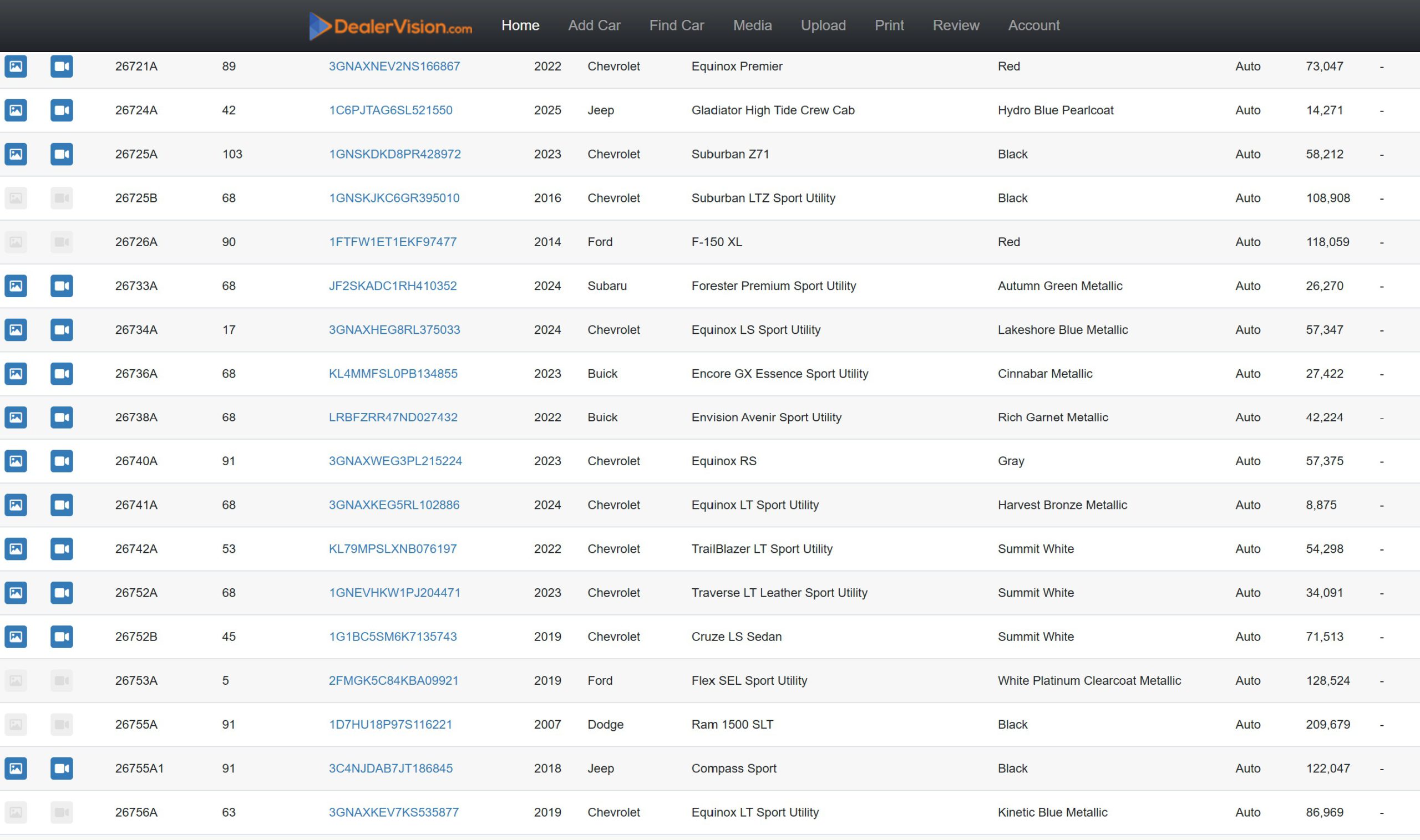
2. Choose Your Format
Use a DealerVision-designed label or your dealership’s custom design and select the appropriate Buyers Guide format.
3. Print
Generate the materials you need as vehicles move through your inventory merchandising process.
Built Around Your Dealership

Your window labels shouldn’t look like an afterthought.
DealerVision gives dealerships the flexibility to use our label designs or maintain their own established branding and layouts. Multiple formats make it easier to fit labels and Buyers Guides into the workflow your team already uses.
And because the vehicle information comes from the same inventory data used throughout your merchandising process, your team can spend less time entering the same information in multiple places.
Part of a Connected Merchandising Workflow

Window labels and Buyers Guides work alongside DealerVision’s dealership photography and walkaround video tools, helping your team move from inventory intake to a fully merchandised vehicle through one connected process.
Capture the vehicle. Create the media. Print the materials. Get it front-line ready.